House Manual
Detailed instructions
Step-by-step guides with photos for the things that aren't obvious. If anything still doesn't make sense, text us — we'll sort it out.
Pool Lights
How to turn on the pool lights
The pool lights are great at night — they light up the water and give the terrace a relaxed after-dark vibe.
Step 1
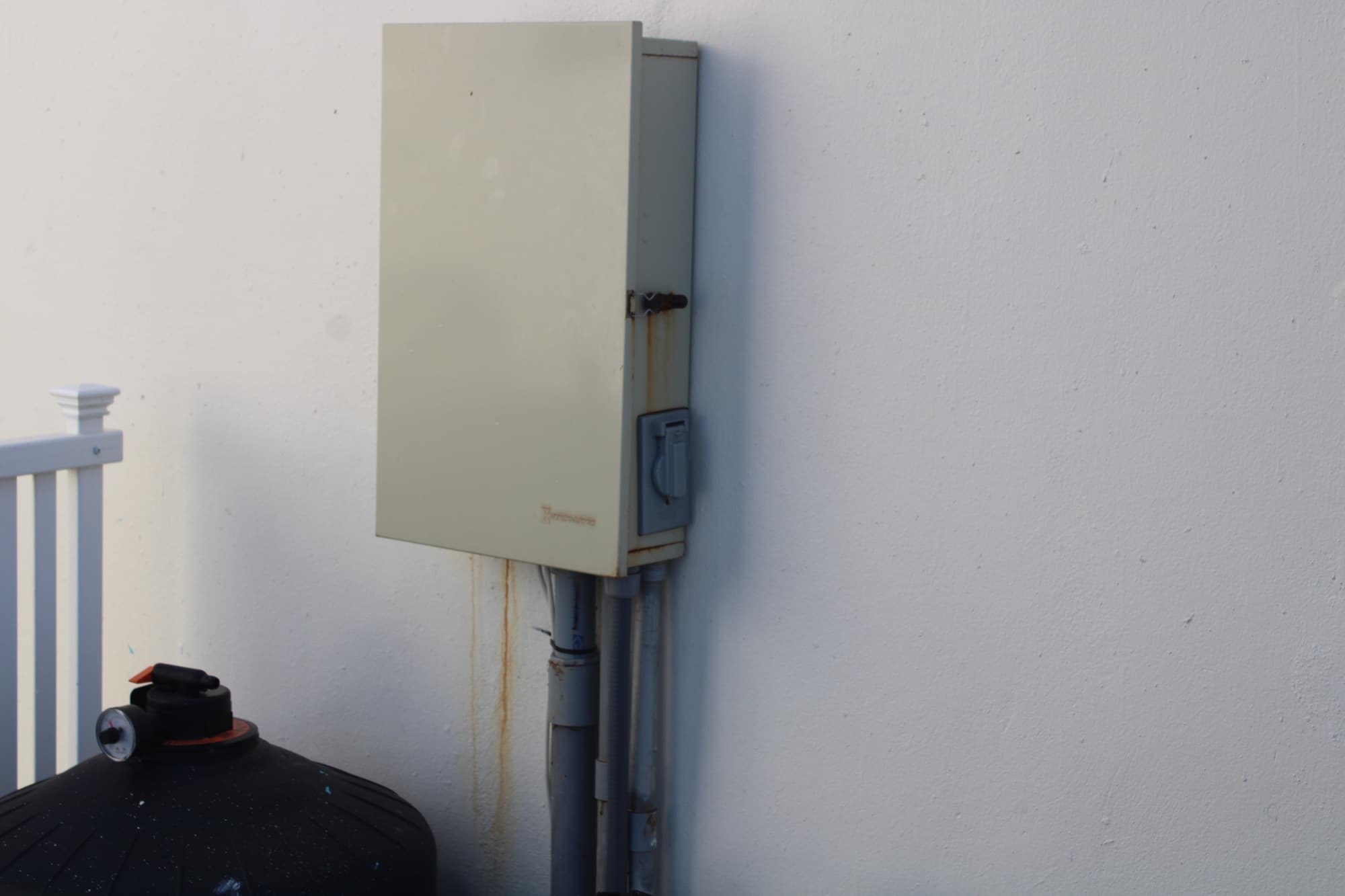
Find the switch by the pool equipment
The switch is on the side of the electrical box on the long wall above the pool equipment.
Step 2
Turn the lights on
Flip the switch on to light up the pool for nighttime swimming, lounging, and rooftop views.
Step 3
Cycle the lighting mode
If you want a different lighting setting, flick the switch off and back on. Each quick toggle cycles to another pool-light mode.
Fire Pit
How to light the fire pit
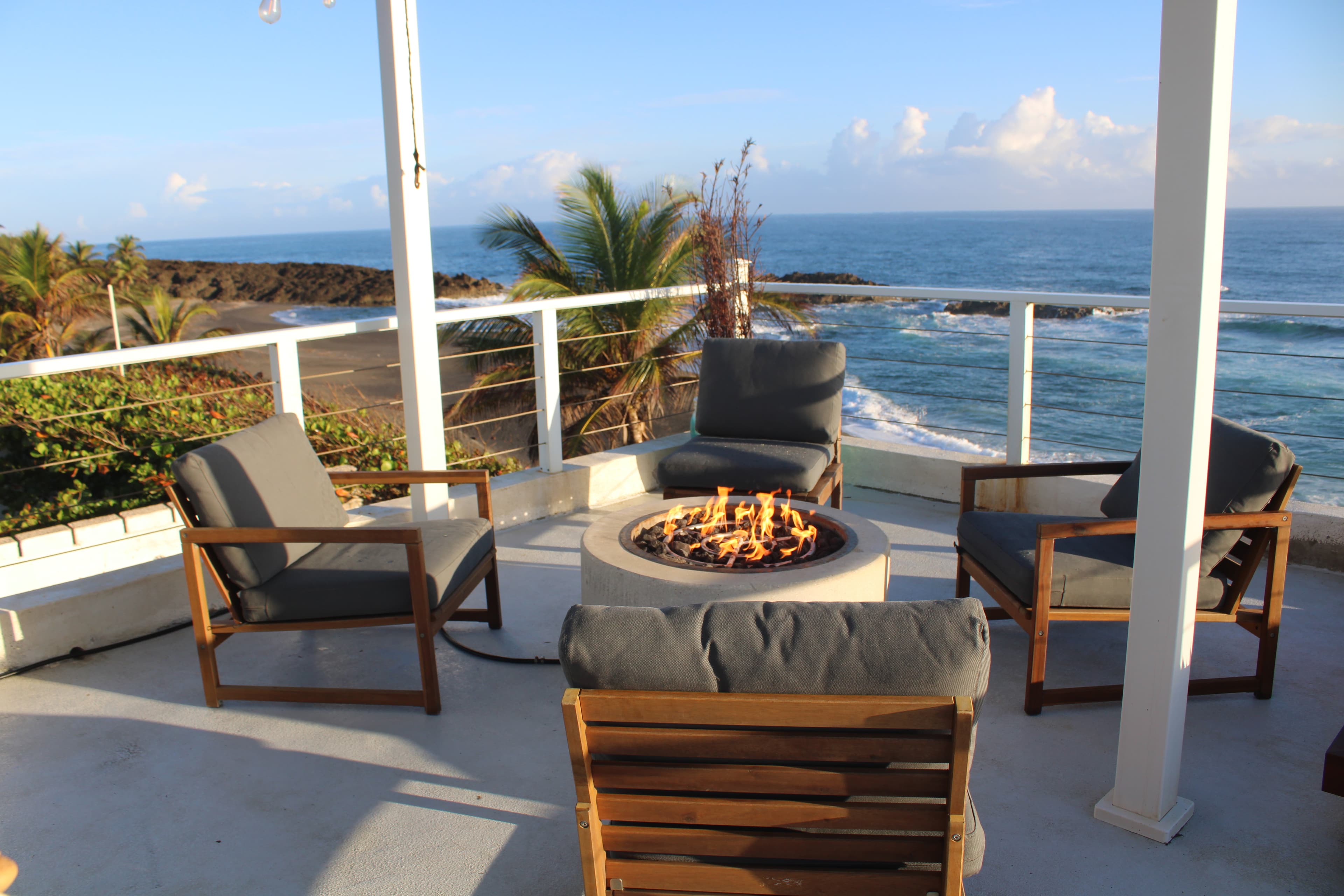
The fire pit is one of the best parts of the house — ocean views, a cold drink, and an open flame. Follow these steps to get it going safely.
Step 1
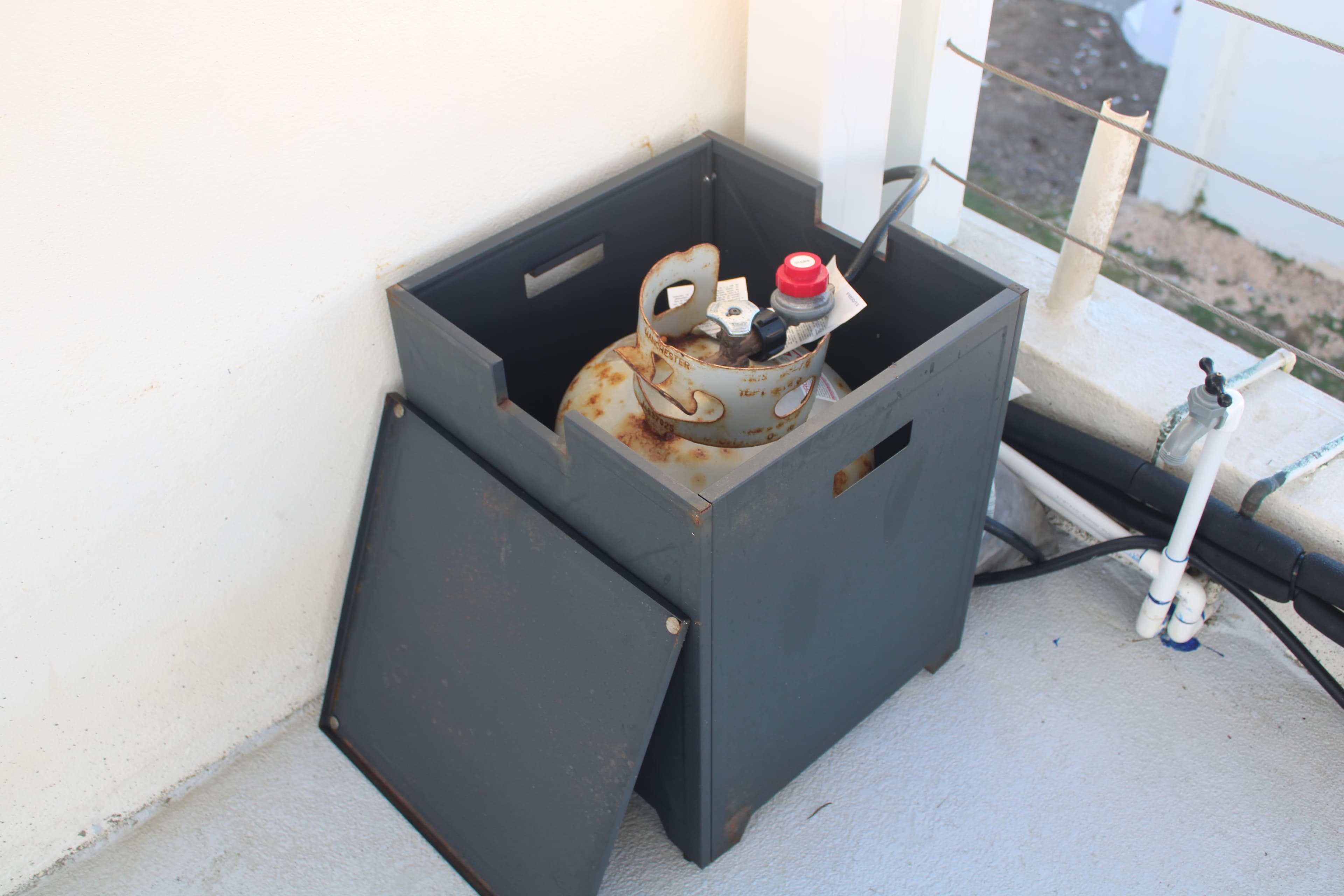
Open the gas tank cover
The propane tank is stored in a metal enclosure near the fire pit. Open the front panel to access the tank and valve.
Step 2
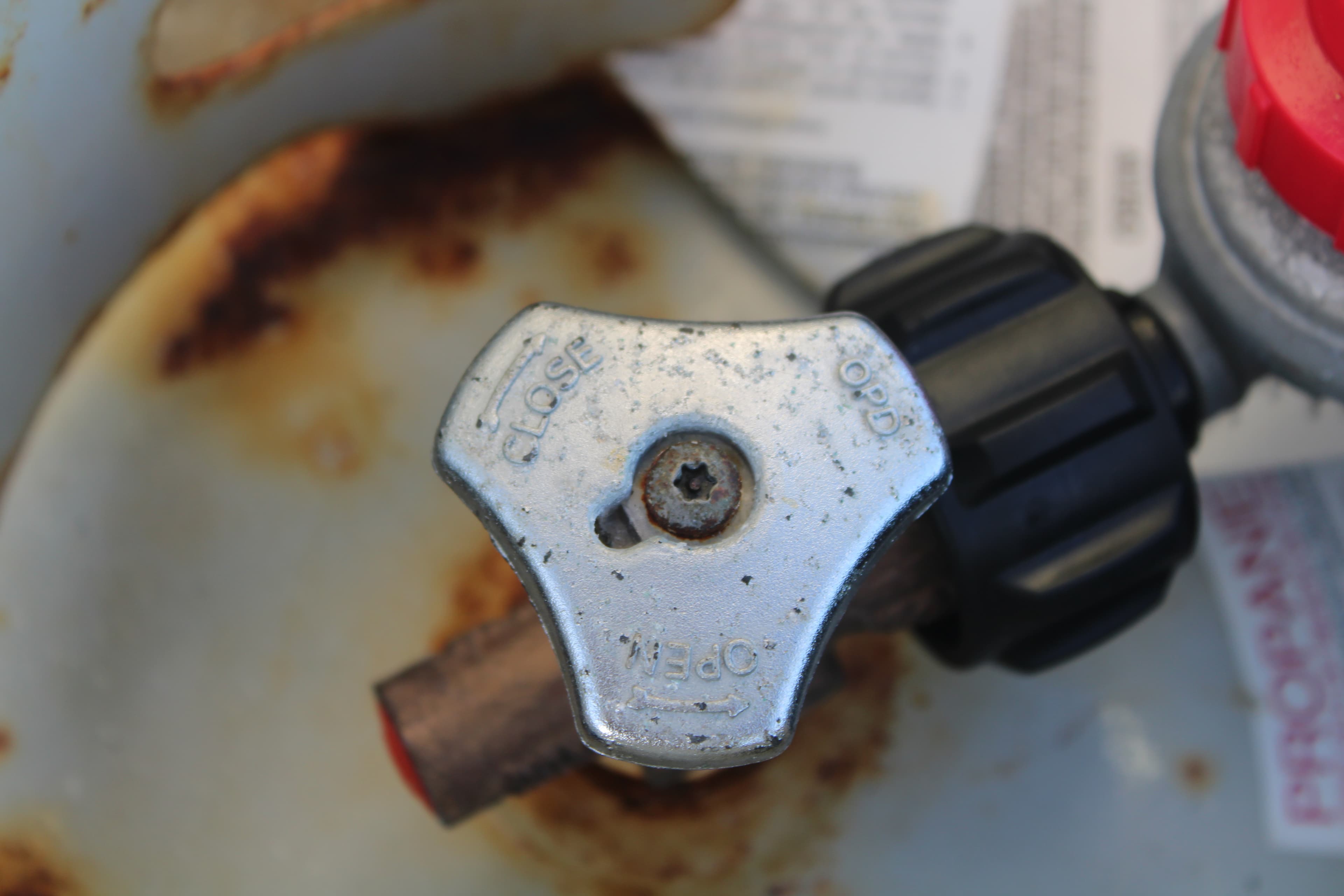
Turn the tank valve to OPEN
Locate the metal valve on top of the propane tank. Turn it counterclockwise to the OPEN position. You should feel slight resistance — that means gas is flowing.
Step 3
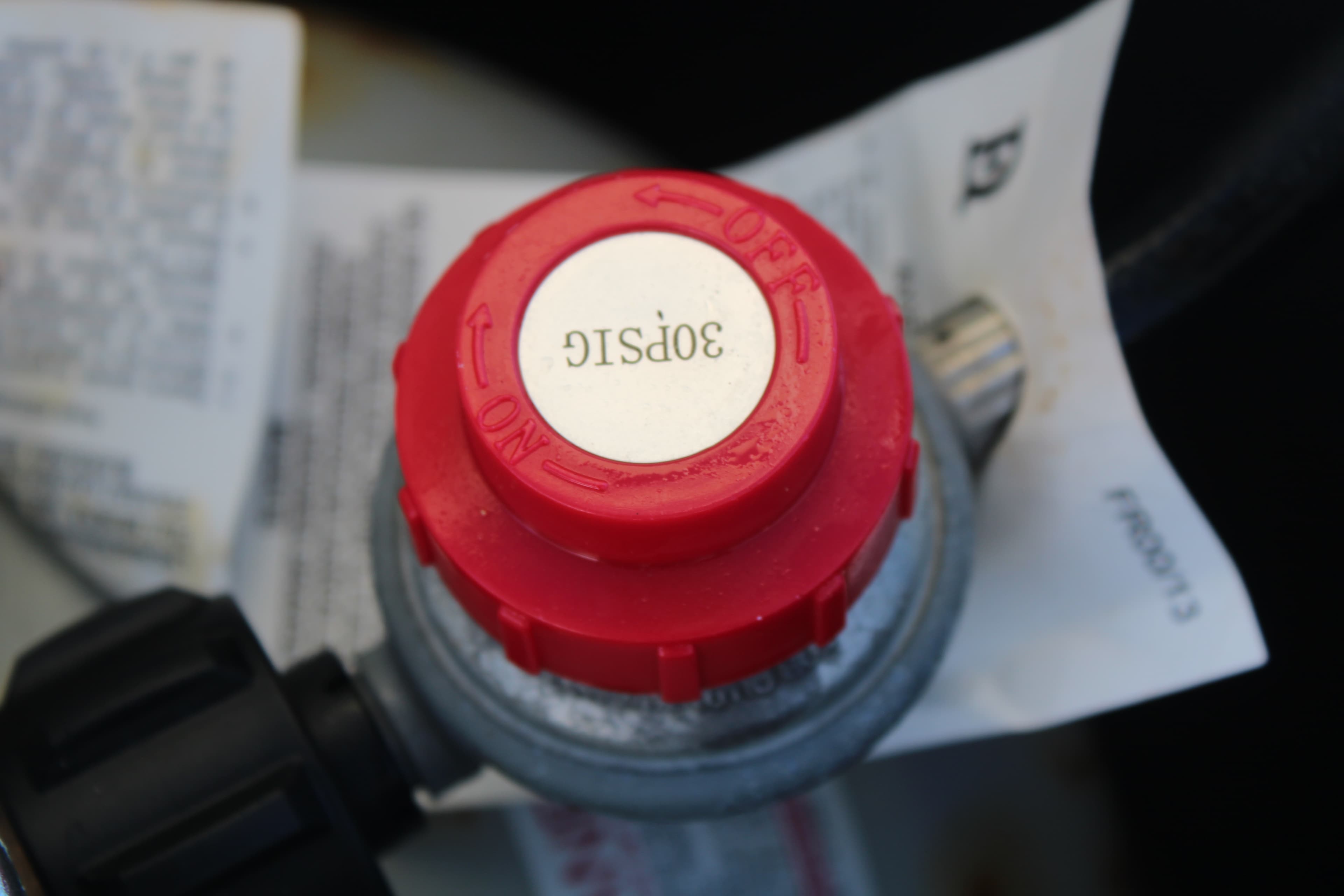
Check the pressure regulator
The red pressure regulator sits on top of the tank. It should read 30 PSIG. If the pressure looks off, close the valve and message us before proceeding.
Step 4
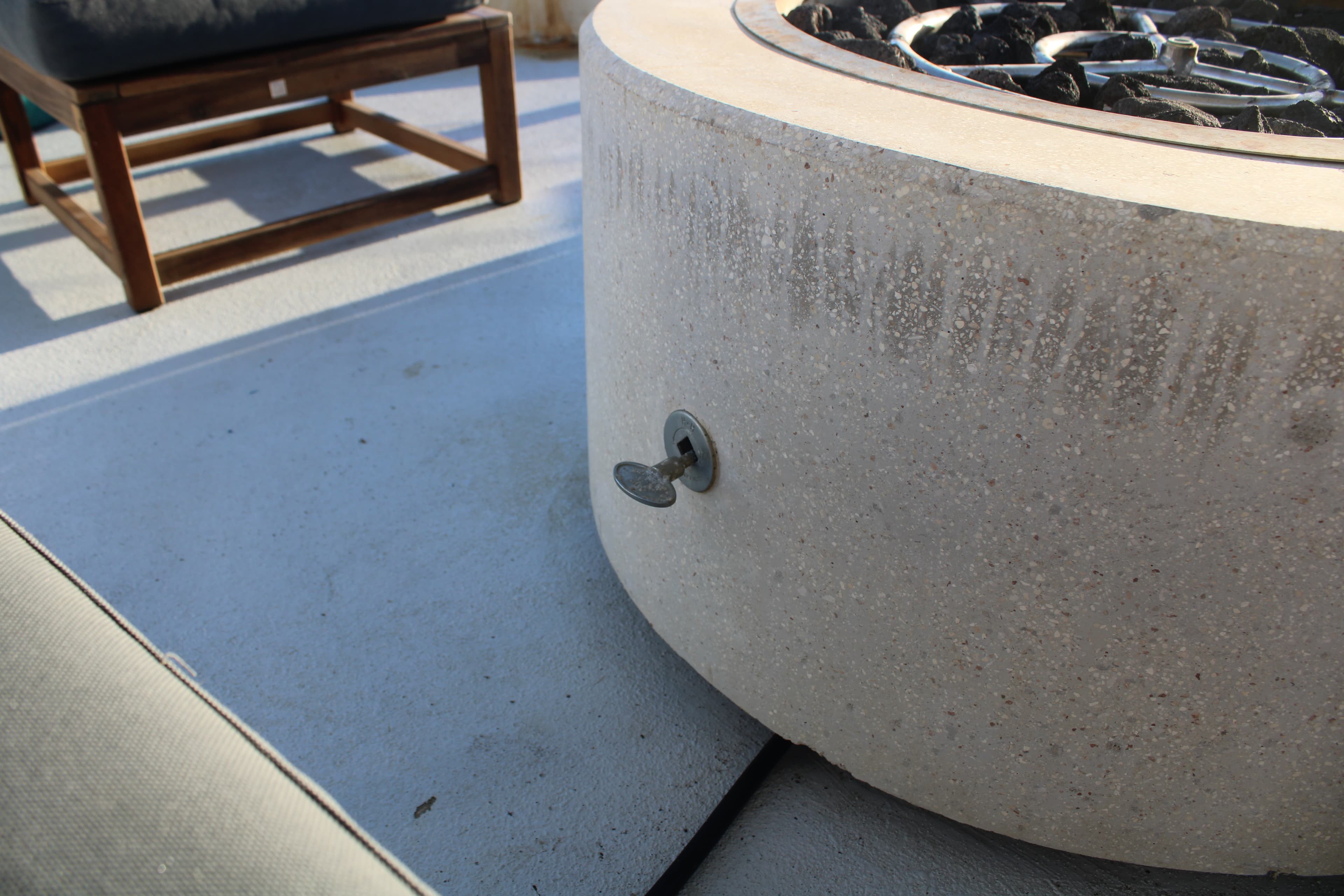
Open the fire pit key
On the side of the fire pit, you'll see a small butterfly key. Turn it counterclockwise to open the gas flow to the burner. You should hear a faint hiss of gas.
Step 5
Ignite with a match or lighter
Hold a long match or lighter just above the burner and ignite. The flame should catch immediately. If it doesn't light within a few seconds, close the fire pit key, wait 30 seconds for the gas to dissipate, then try again.
When you're winding down
Easiest to shut down in this order — the fire pit key first stops the flame right away, then closing the tank valve cuts off the gas at the source.
- 1.Close the fire pit key — turn it clockwise until it stops.
- 2.Head back to the tank enclosure and turn the tank valve clockwise to CLOSE.
- 3.Close the enclosure panel to keep it dry overnight.
A few things to keep in mind
- Stay with the flame while it's lit — grab your drink on the way out if you're stepping away.
- Children are naturally drawn to open fire, so keep them a few feet back while it's running.
- If you ever smell gas and it won't light, close the tank valve and message us right away — we'll walk you through it.
- The gas line runs along the terrace floor, so try not to drag chairs or tables across it.
Wi-Fi
How to connect to Wi-Fi
The house runs on Starlink satellite internet backed by the diesel generator — fast, reliable, and stays online even during island-wide outages.
Option 1: Wi-Fi Porter (easiest)
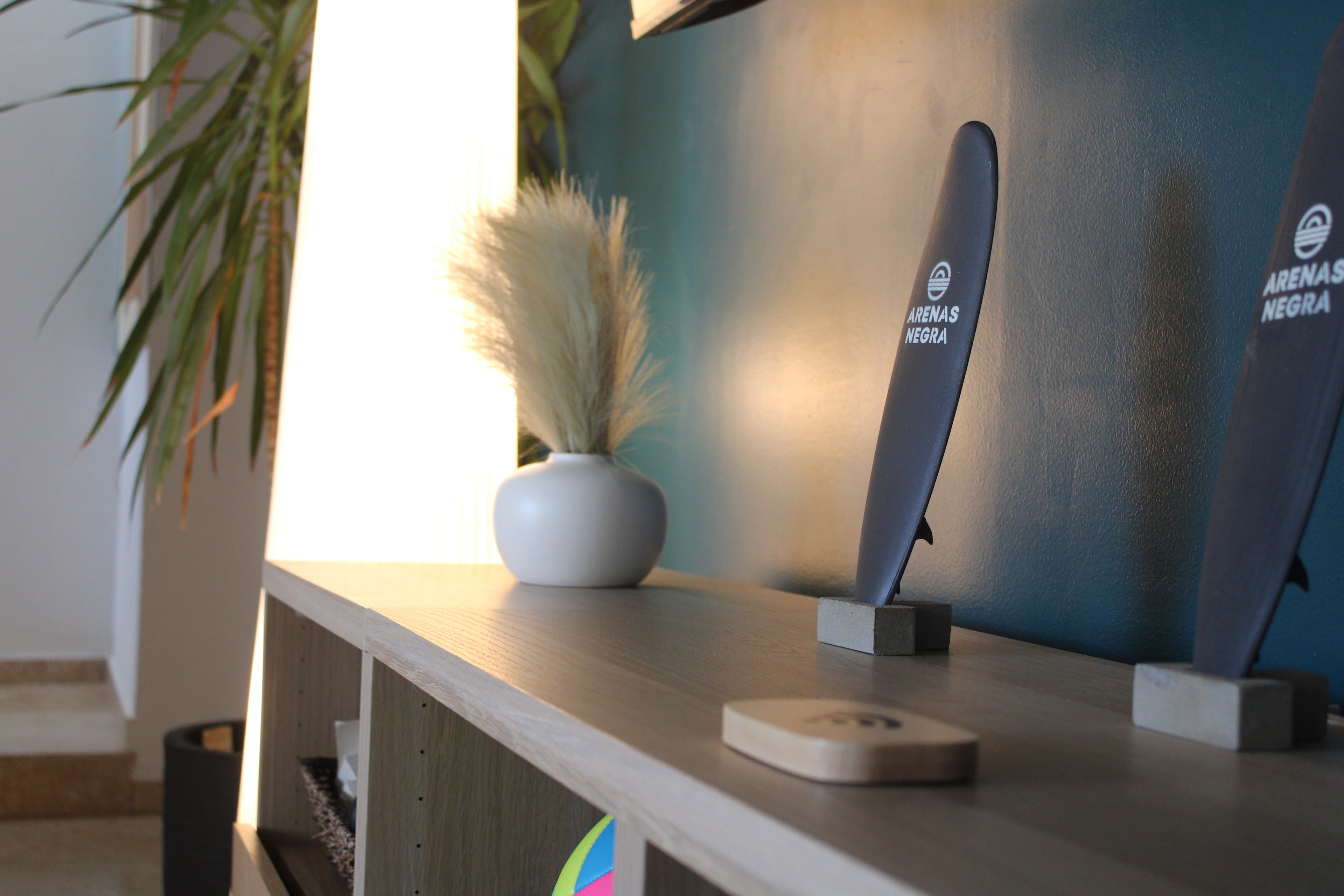
On the console under the TV, you'll see the Arenas Negra Wi-Fi porter — a small branded device. Just bring your phone close to it and it will sync the network and password to your device automatically. No typing needed.
Option 2: Manual
Network name and password were included in your pre-arrival message. Check your email or booking thread. If you can't find it, text us and we'll send it right over.
AC Reset
How to reset the AC
If an AC unit shows an error or stops responding, this one step fixes it about 90% of the time.
Step 1
Find the rooftop breaker
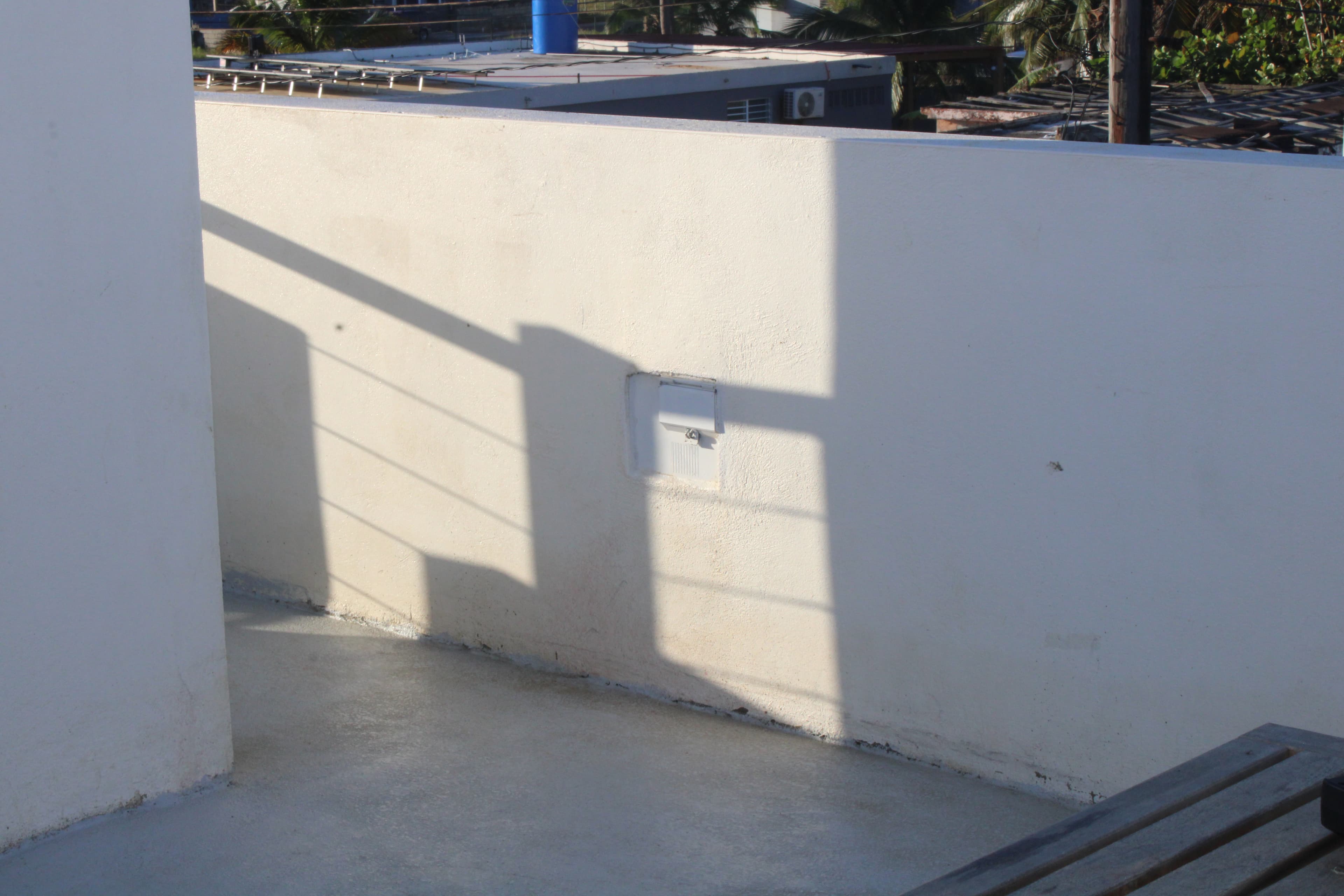
Head up to the rooftop. On the wall, you'll see a small electrical breaker panel. This controls the AC units.
Step 2
Flip it off, wait 15 minutes, flip it back on
Turn the breaker to the OFF position and give it about 15 minutes — the compressor needs that time to fully depressurize before it can safely start up again. Then flip it back on, and the AC should come back to life.
Still not cooling? Send us a message
The rooftop reset works almost every time. If the AC is still acting up after the 15-minute wait, shoot us a quick message and we'll jump on it right away — you shouldn't have to spend your vacation chasing breakers. We know the quirks of these units and we'll get it sorted fast.
Still have questions? Message us anytime.
Back to the Guidebook